Feature
Custom events and properties
Attach what your application knows to the events it sends, then segment by it.
A custom event is one line of JavaScript:
feasible('Signup', { props: { plan: 'scale', trial: 'yes' } })
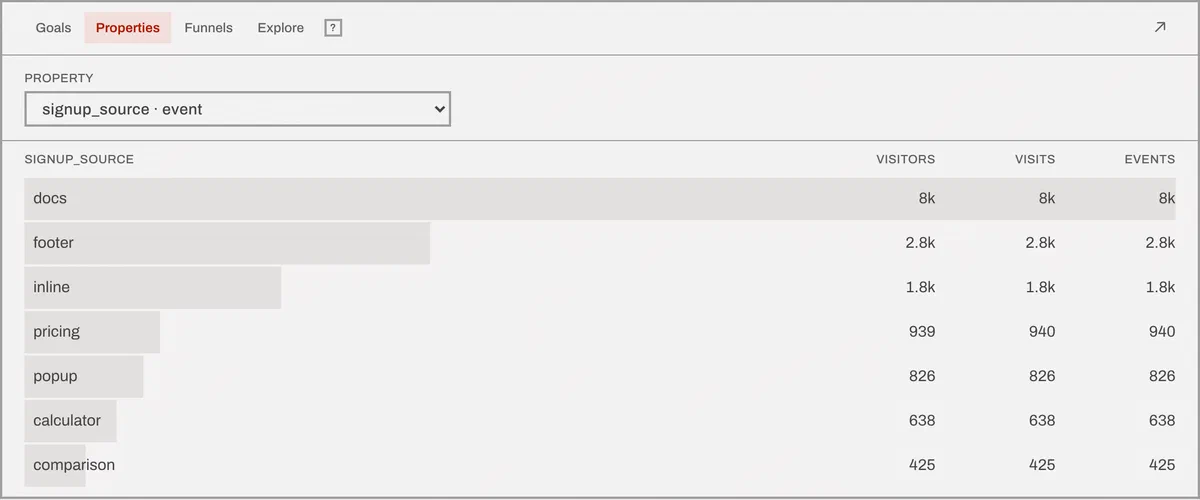
The properties ride along with the event, and every report in Feasible can then be broken down by them. What your application knows - plan, experiment variant, article category, whether the visitor was logged in - becomes a dimension next to browser and country.
Pageviews take properties too. Same idea, p instead of props.
Event or session scope
Every property is either event-scoped or session-scoped, and you pick when you enable it. This is the setting people skip and then wonder why their conversion rates are wrong.
Event scope describes one hit. article_category on a pageview.
plan on the Signup event. It’s true about that event and says nothing about
the rest of the visit.
Session scope describes the whole visit. experiment_variant,
logged_in, account_tier. It was true before the visitor did anything and
it’s still true after.
The scope decides the denominator of a conversion rate. Break a rate down by an event-scoped property and the denominator is the people who already fired an event carrying it. Break it down by a session-scoped one and the denominator is everybody in that segment, converted or not.
Get it backwards and the rates look fantastic. You end up dividing conversions by a population that had already half-converted, the number climbs toward 100%, and nothing in the interface flags it - a good-looking number is the one nobody questions. That’s the failure mode this setting exists to prevent, which is why it’s a decision you make once, per property, rather than a footnote in a docs page.
Missing values
Break your traffic down by plan and some events won’t carry it. Those land in
a labeled (none) bucket instead of quietly disappearing.
It’s a small thing that changes how much you trust the report. The column adds up to your actual total, so when 40% of your signups have no plan attached you find out immediately - instead of six weeks later, when somebody adds the numbers by hand and they don’t reconcile.
The limits
Thirty properties per event. Property names up to 300 characters, values up to 2,000. Break-downs return 100 rows by default, and a goal can carry up to three property constraints, so “Signup” and “Signup where plan is scale” can be two separate goals.
Send a 31st property and it isn’t silently dropped. Keys are sorted, so which thirty survive is deterministic rather than whatever the JSON serializer felt like - and every cut is counted and shown to you on the data health panel. Nothing about this is quiet.
Properties never cost you anything. Billable volume is pageviews plus custom events; the properties attached to them don’t add to the count, however many there are. Several tools in this category bill per “datapoint” and count each property as one, which is a fine way to make instrumenting your product feel expensive.
One rule we’ll be firm about: don’t put personal data in a property. No email addresses, no user ids that map back to a person, no names. The data processing addendum prohibits it in writing, and the whole privacy design falls over if you smuggle an identifier in through a side door.
Why properties need approval
Because cardinality is how analytics databases die.
One well-meaning props: { url: window.location.href } on a busy site produces
millions of distinct values, and a property with millions of values isn’t a
report - it’s a log file with a chart on top. Requiring somebody to enable a
property first means the person who adds a dimension is the person who thought
about it.
It also keeps the filter menu honest. Only enabled properties appear there, so the list of things you can segment by is a short list somebody chose, not every key any developer has ever sent from any branch.
Enabled properties are readable through the API like any other dimension, and you can manage the allow-list from there too. Full reference in the custom properties docs.
The trade-off
You have to allow-list each property, per site, before it’s collected. Send a property nobody enabled and it’s ignored - deliberately, so a stray debug field doesn’t become a permanent column, but it does mean a new property collects nothing until somebody flips it on.